


HTTP Client
The HTTP space is a local API workspace inside massCode. Send HTTP requests, inspect responses, organize collections, and reuse variables alongside your code snippets and notes. No massCode account is required.
This guide describes the 5.11 interface, including collection settings, scripts, tests, GraphQL, WebSocket, history, and debugging tools. Individual version markers identify features introduced after the original HTTP client.
Getting Started
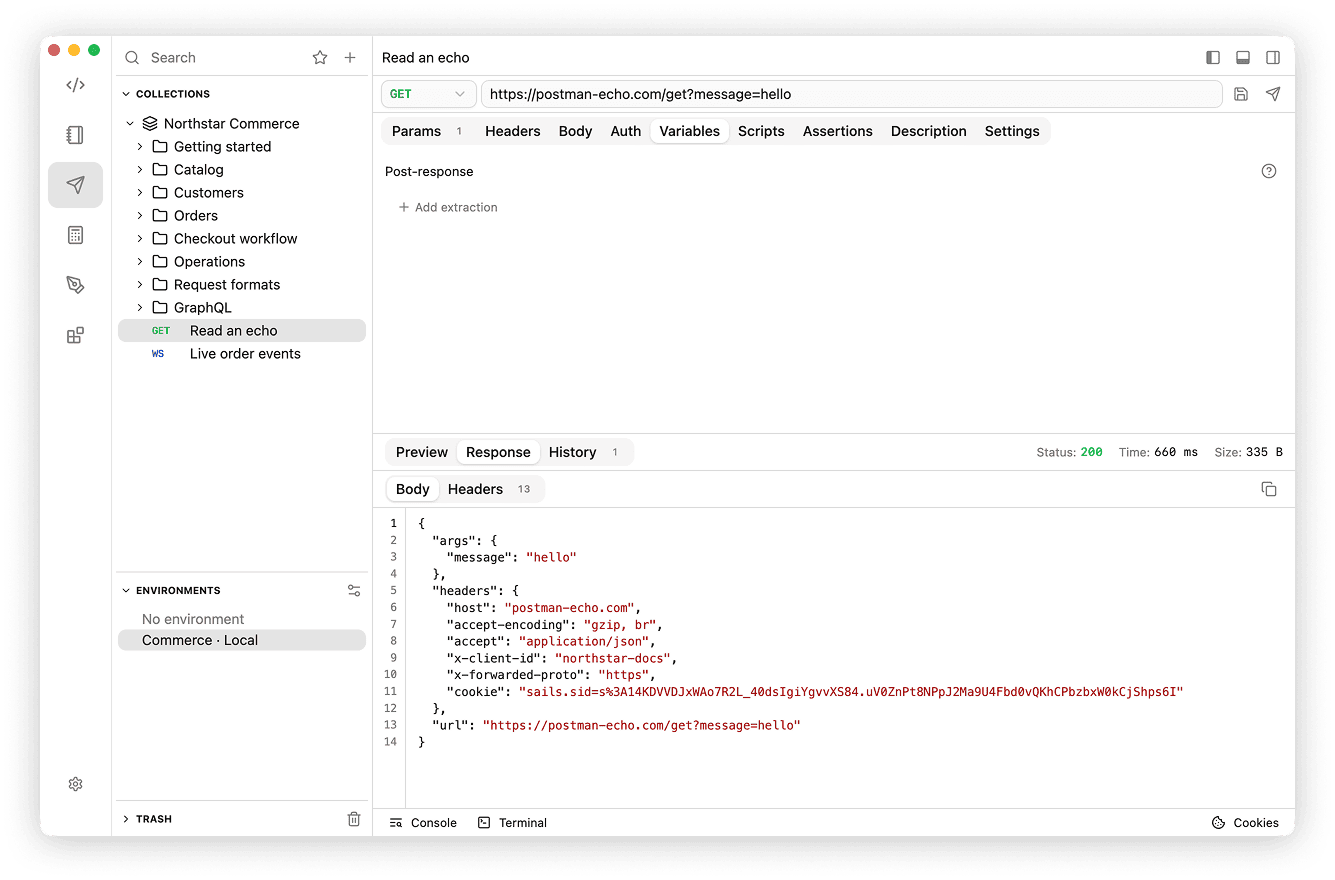
Send your first GET request
Postman Echo returns details of the request it receives and requires no API key.
- Open HTTP in the Space rail.
- Click + at the top of the HTTP sidebar, choose New collection, name it
API practice, then use its context menu to create a new request. - Name the request
Read an echo. Keep the method GET and enterhttps://postman-echo.com/getin the URL field. - In Params, add an enabled row named
messagewith the valuehello. The URL and query table stay in sync. - Click Send, or press ⌘+Enter on macOS / Ctrl+Enter on Windows and Linux.
- Select Response in the lower panel, then open Body. If the panel is hidden, open it with the bottom-panel toggle in the top-right editor header. A successful call returns HTTP
200and JSON containingargs.messagewith the valuehello. - Click Save next to Send, or press ⌘+S / Ctrl+S, to keep the request.
Send uses your current draft. Saving is a separate action: changing the request name saves the name automatically, but other content needs Save. If you do not receive a response, check internet access and the URL, then use Debugging.
Turn it into a repeatable check
In Assertions, add Echo succeeded, source Status code, operator Equals, expected value 200. Add another assertion with source JSON body, path /args/message, operator Equals, expected value "hello". Send again and inspect Test Results. Quoting "hello" makes it a string; 200 is a number.
Next, create and select an environment with baseUrl set to https://postman-echo.com, and change the URL to {{baseUrl}}/get. You can now change the server without editing the request.
Already using another client? Start with Moving from Postman or Bruno, including the format and compatibility checklist.
Main Concepts
| Concept | Use it for |
|---|---|
| Collection and folders | Group requests and share headers, authentication, variables, scripts, and checks. Selecting a collection or folder opens its own editor. |
| Request | Edit a method, URL, parameters, payload, and request-specific behavior; send the draft or save it for reuse. |
| Authorization | Choose inherited auth, Bearer, Basic, or an API key. |
| Environment and Session | Select server-specific values, keep secrets locally, and pass temporary values between requests. |
| Response and history | Read current results and inspect saved snapshots of earlier sends. |
| Tests and extraction | Check response values and capture data for the next request without code. |
| Scripts | Compute variables and write synchronous JavaScript tests with the mc API. |
| Folder Runner | Execute a saved collection or folder sequentially with isolated temporary variables. |
| GraphQL / WebSocket | Send GraphQL queries and mutations, or exchange WebSocket messages. |
| Settings / Debugging | Control transport behavior, inspect traffic, manage cookies, and use the terminal. |
Find your way around
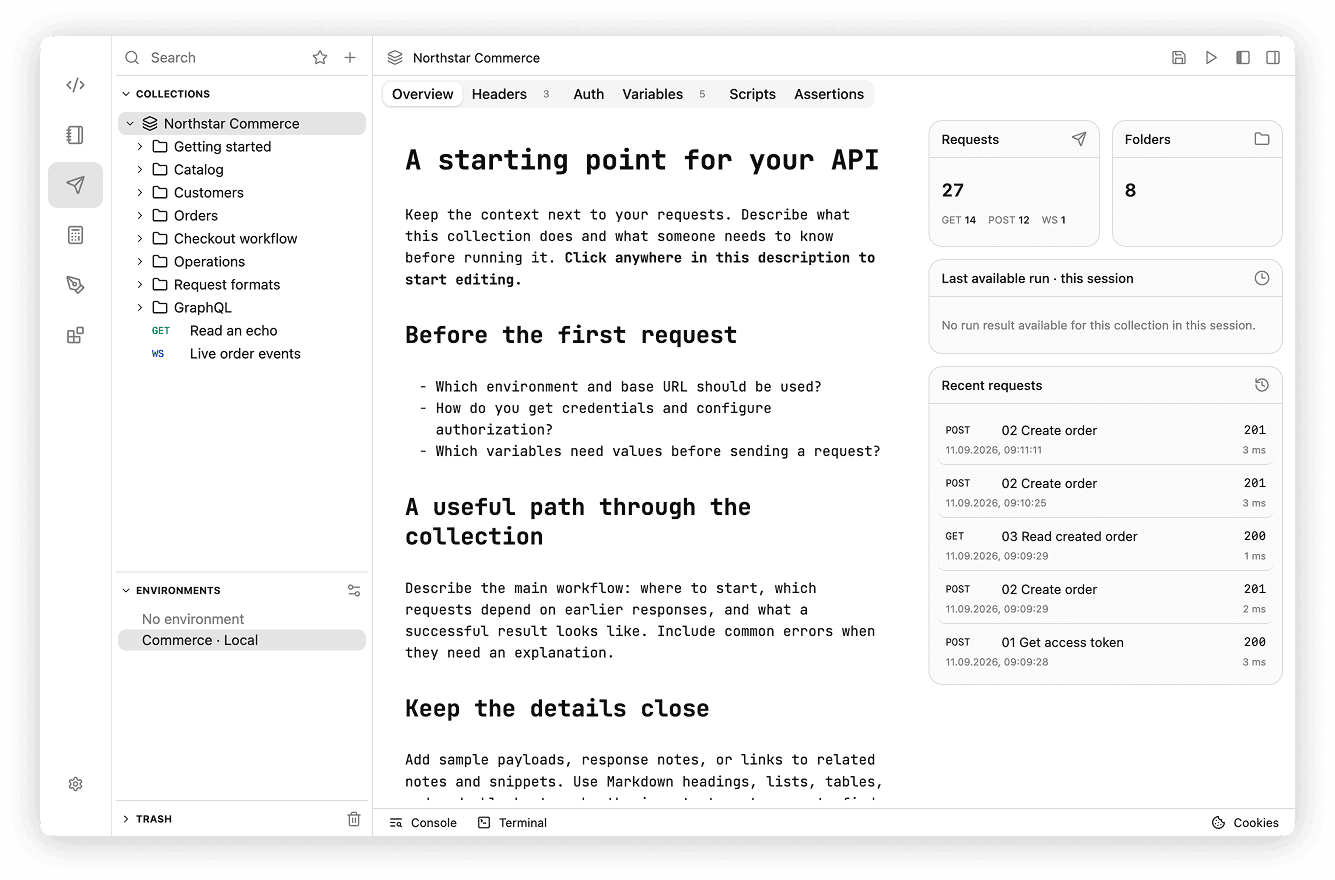
The sidebar has collapsible Collections, Environments, and Trash sections. Use search at the top to find items and the star button to filter favorite requests. In Collections, expand the tree to open a request or select the collection/folder itself to edit its shared configuration. The editor shows the selected item's tabs; request previews and responses occupy the lower panel. The editor header has controls to show/hide the primary sidebar, lower panel, and secondary sidebar containing the Variables inspector or AI chat. Use View → Primary Side Bar (Cmd+B / Ctrl+B) and View → Secondary Side Bar (Cmd+Option+B / Ctrl+Alt+B) to toggle the sidebars. Console and Terminal are available in the debugging dock.
The HTTP command palette actions can create a request, collection, folder, or WebSocket request; import collections; and open environments, settings, Console, Terminal, Cookies, or the runner when applicable.
Folders
A top-level folder is a collection; nested folders provide another configuration scope. Read Collections & Folders for inheritance, navigation, moving items, favorites, and Trash.
Emoji and Uploaded Images
Collection and folder icons support built-in icons, native emoji, and uploaded JPG/PNG images. See Custom icons.
Storage
Requests live as Markdown files under http in your vault. Saved collection configuration and regular environments travel with the vault. Secret values, script trust, cookies, and local interface preferences stay on the device. Session variables are temporary. Back up your vault as part of your normal massCode backup workflow.
AI Assistant
Use AI Assistant to create and edit requests, add response checks, run collections with confirmation, and save reports in Notes. Changes to the open draft still need Save; adding checks alone does not send the request.