


Code
Code is the snippet library space inside massCode. Use it to keep reusable examples, commands, templates, configuration fragments, and reference code close to your everyday development work.
Access Code from the Code icon in the Space rail. The layout has three columns: the Library on the left, the snippet list in the middle, and the editor on the right.
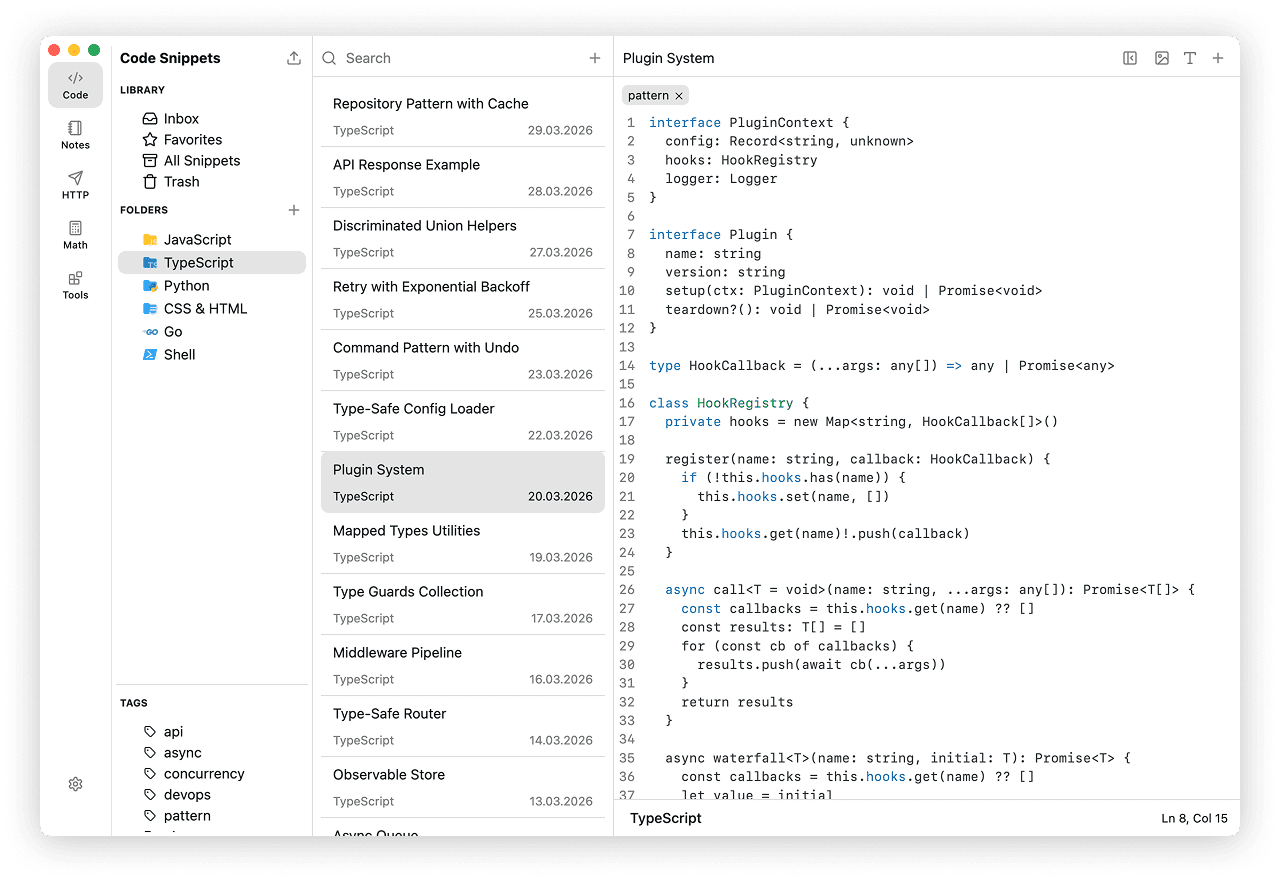
When to use Code
Use Code when you want a searchable local library for small pieces of reusable code.
- save commands, examples, templates, and configuration snippets
- keep implementation notes next to the code they explain
- organize snippets by project, topic, or language
- store related files or variants inside one snippet
- format supported languages with Prettier
- preview small HTML/CSS ideas or visualize JSON payloads
Creating a Snippet
- Select "File" > "New Snippet" from the menu bar.
- Click the "+" button next to search in the second column.
- Press Cmd+N on macOS or Ctrl+N on Windows or Linux.
The new snippet is created in the currently selected folder, or in "Inbox" if no folder is selected.
Working with Snippets
Snippets
Snippets are the main items in Code. Use them for code you reuse across projects, reference examples, terminal commands, configuration files, or short implementation notes.
Fragments
Fragments are tabs inside a snippet. Use them when one snippet needs multiple related files, versions, or languages in one place.
Descriptions
Descriptions store usage notes, caveats, links, and extra context next to the snippet.
Organizing and Finding
Library
The Library gives you system views for Inbox, Favorites, All Snippets, and Trash.
Folders and Tags
Folders give snippets a primary structure by project, topic, language, or workflow. Tags add another way to group snippets across folders.
Folders can have a default language, so new snippets inside that folder start with the syntax mode you use most often there.
Search
Search finds snippets by title or content and narrows the current folder, tag, or library view when one is selected.
Editor Tools
The Code editor is built for editing and reusing snippets:
- Language selection for syntax highlighting
- Copying the whole snippet to the clipboard
- Prettier formatting for supported languages
- HTML and CSS preview for quick experiments
- JSON Visualizer for nested JSON snippets
- AI Assistant with your own cloud provider or local model
See Snippets for the full snippet workflow.